The whole app, in 77 seconds.
Boards, to-dos, frames, notes, drawing and links, shown on a real board. Sound on.
Put it where it makes sense.
Notes, titles, images, links, files, checklists, shapes, lines, frames and freehand drawings share one endless surface. Pan, zoom, marquee-select, snap to neighbours, and step into boards inside boards when a corner of the canvas grows into a project.
Notes
Rich text with bold, italic, underline, bullet and numbered lists; 8 pastel tints; font sizes 12 to 32.


Titles
Big headings with fill and text colour, alignment, resizable width.
To-dos
Checklists; Enter adds a row, drag rows up, down or out onto the canvas where they become their own list.
Images
Drop from Finder, paste a screenshot, or drop onto an empty image card; resized from any corner with proportions kept.
Links
Paste a URL and get title, description, preview image and favicon, cached locally so the card works offline; videos get a play badge.

Files
PDFs, text, anything else; PDFs preview inline, text files show their first lines; open with one click.
Boards
Boards inside boards, with breadcrumbs and browser-style back and forward.
Columns
Stack cards under a title; a row of columns is a Kanban board; fold a column to its header.

Frames
A hand-sketched rectangle to group cards visually without grabbing them.
Shapes and lines
Filled or outlined rectangles, rounded rectangles, ellipses and more; solid or dashed lines with arrow, dot and bar ends.


Draw
Sketch freely over the board and save the strokes as a card you can move and scale.
Snap guides
Cards align to the edges of their neighbours while you drag; hold ⌘ to move freely.

A real Mac app. Opens in a blink, works on a plane.
Boardify is a native macOS app, not a website in a frame. Your boards load instantly from disk, the window remembers where you left it, and Back and Forward on your mouse or trackpad walk through your boards the way they walk through web pages.
Instant start
No login, no spinner.
Offline by design
Everything, including link previews, is cached locally.
Feels native
System font, menu bar shortcuts ⌘C ⌘V ⌘Z, drag and drop from Finder, swipe to go back.

Files you own. Backups you can hold.
Boardify keeps your boards as plain files in your Library folder: one JSON document for the boards, one file per image. Export a ZIP backup in one click, restore it on another Mac, or open it yourself. There is no server that can lose it, sell it or turn it off.
- One-click ZIP backup and restore
- Restore on another Mac with a backup; the browser version follows later
- No account, no telemetry, nothing leaves your machine
- Optional backup to online storage such as Google Drive or iCloud Drive Planned
Bring your Milanote boards with you.
Import your whole Milanote account, boards, nested boards, notes, images, links, to-dos and columns, in one step from the Settings panel. Positions and layout are kept.
One panel for import, canvas, toolbar and backup.
Everything you can configure lives in a single sheet on the right of the window. Four sections, no sub-menus.

Made for how you work.
Nine boards, nine jobs. Each one is made from the same handful of cards: notes, images, links, to-dos, columns, shapes and a pen.



Warm neutrals, one cobalt.
Mood board and research wall
Images, links and notes side by side. Circle what matters, frame the rest, keep the references in a column.
Project Kanban
Columns hold cards in order. Fold the finished ones out of the way.
- Arrival
- The neighbour
Writing outline
Titles for chapters, notes for scenes, a to-do for the edit.
Storyboard and shot list
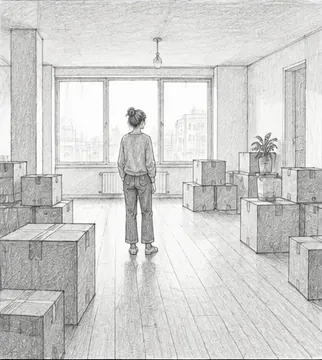
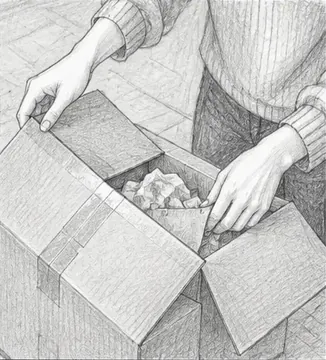
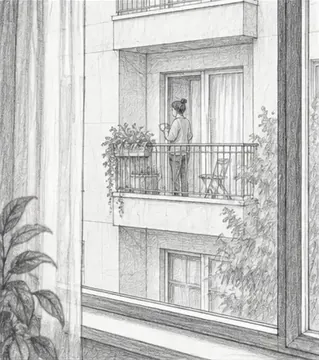
Sketches in a frame per scene, a note under each shot, and the list to tick off on set.

€12,400 left
Home renovation
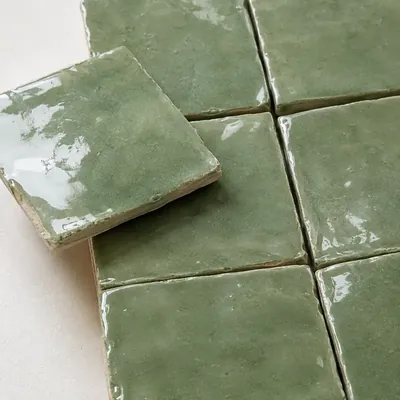
The kitchen you want, the tiles you found, the quotes to chase and the budget that is left.

Trip planning
A column per day, the booking links beside it, and the tip a friend gave you.
Product roadmap
Shapes for stages, lines for what depends on what, and the details hanging off each step.

Content calendar
Every video gets a card: the idea, the link, the hook, and the steps until it is out.
Brainstorm and mind map
One idea in the middle, shapes and lines around it, and a scribble where words fail.
And many more. Recipes, wedding plans, study notes, a garden, a game: if it fits on a wall, it fits on a board.
The small things, done properly.
- Undo and redo for everything; gestures count as one step.
- Duplicate with ⌘D or Option-drag; Copy Style and Paste Style between cards.
- Cut, copy and paste cards between boards, nested boards and images included; the text also lands on the system clipboard.
- Group a selection into a column or wrap it in a frame from the right-click menu.
- Resize a whole selection at once; lock a card in place; bring to front, send to back.
- Reorder the toolbar by dragging; dock it left, top, right or bottom; icons-only mode.
- Canvas background colour and dot grid on or off.